
The booking app for lash artists
Five things you doevery day, in one app.
Booking, payment, the client record, your website and the money. Each one built for a lash room, and each one aware of the others.
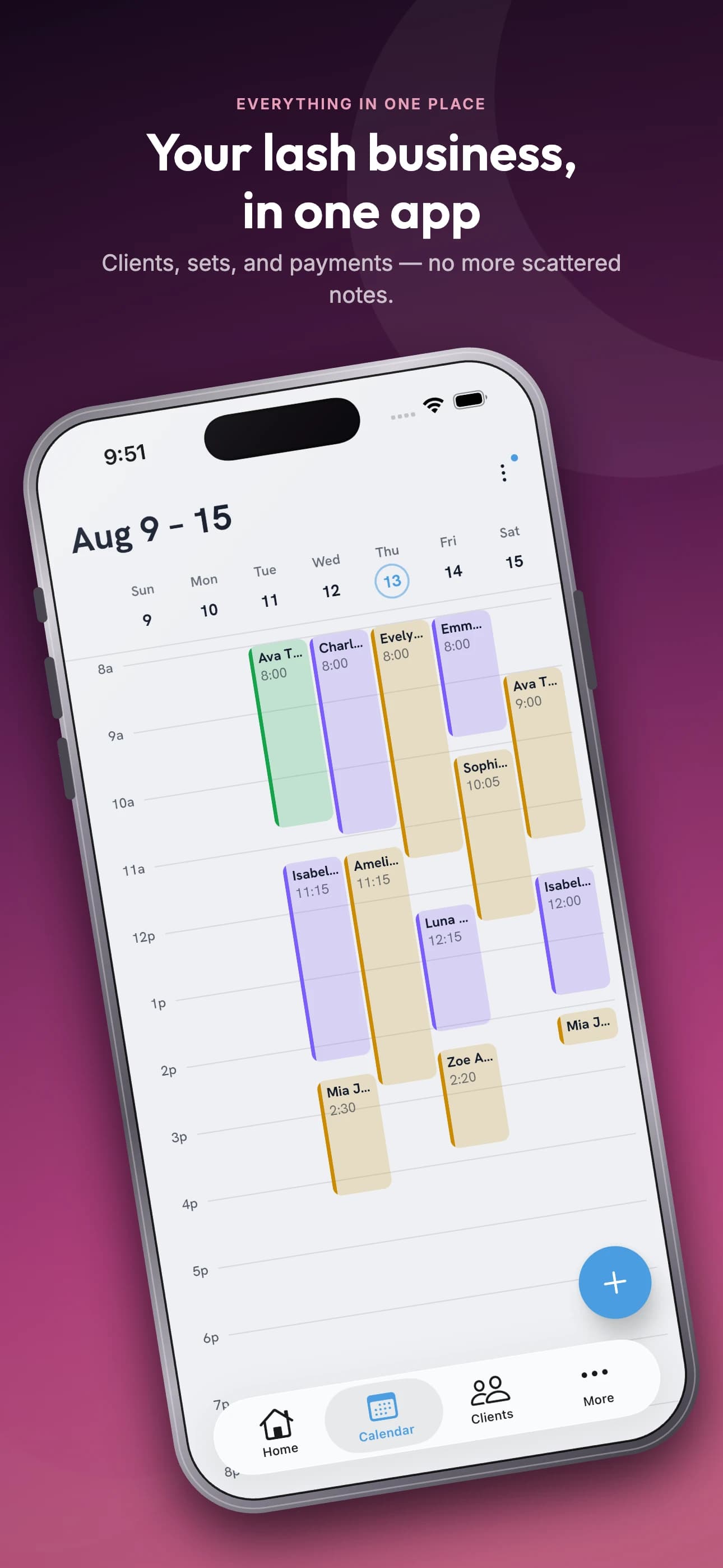
The week, laid out like a week.
Colour coded by artist and service, a day, a week or a month at a time. Drag a set to move it, then choose whether the client hears about it.
- Real availability
- Slots come from your hours, breaks, buffers and the sets already booked, so double booking is not possible.
- Repeat visits
- Book a fill every three weeks in one go, and cancel a single visit when plans change.
- Walk-ins
- Press and hold on the week view to add an appointment right where it goes.
- Your rules
- Minimum notice, how far ahead clients can book, extra hours and a waitlist for the days that fill.
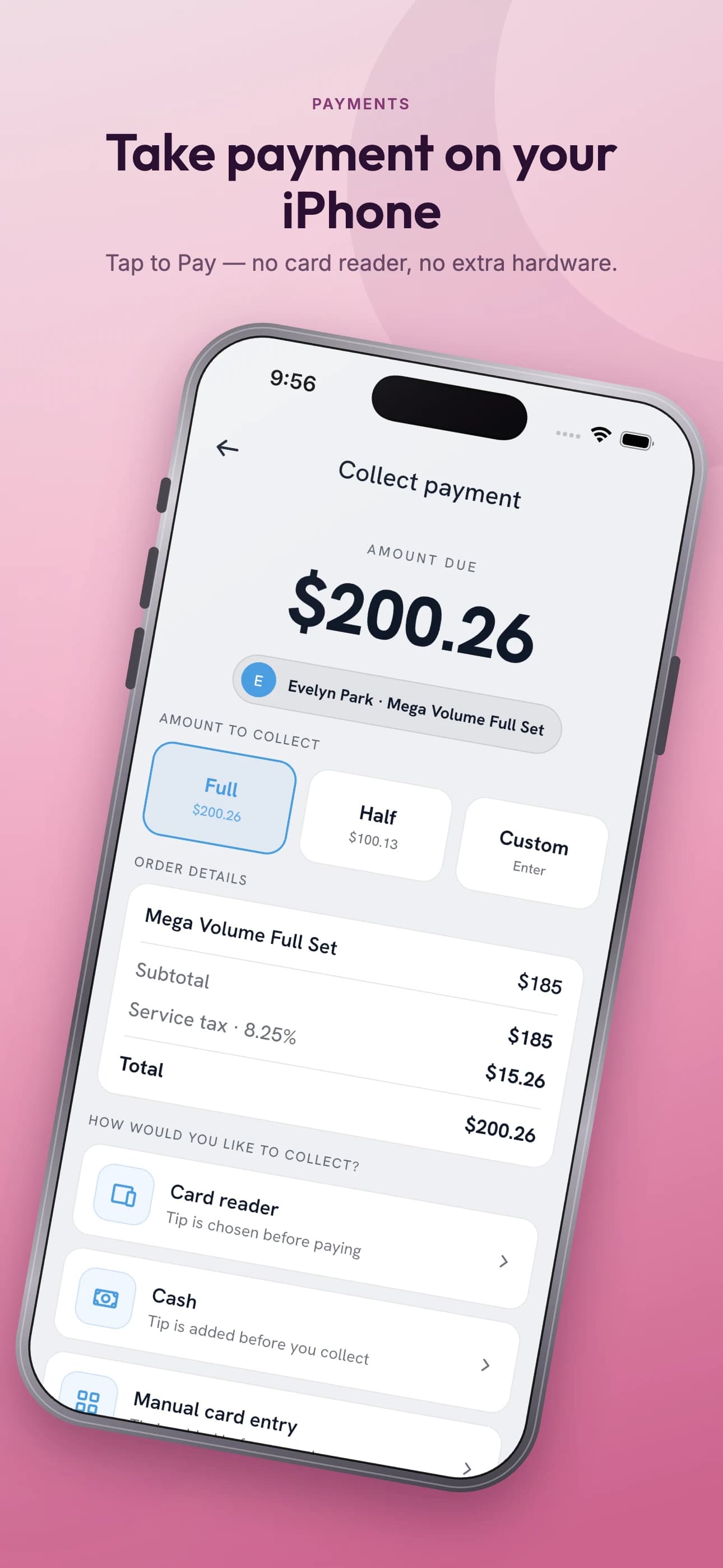
Take payment on the phone in your hand.
Tap to Pay on iPhone. No card reader, no extra hardware. Deposit at booking, the balance when she leaves.
- Deposit rules
- A flat amount or a percentage, on every booking or new clients only. Cancellation and no-show fees for the rest.
- Card on file
- Ask for a card when a client books, from everyone or only the clients you choose.
- Cash, Venmo and Zelle
- Record what came in outside the app so the day still balances at the end of it.
- Tips, discounts and tax
- Added at checkout, split across cards if she asks, and kept separate in your reports.
Every set on record.
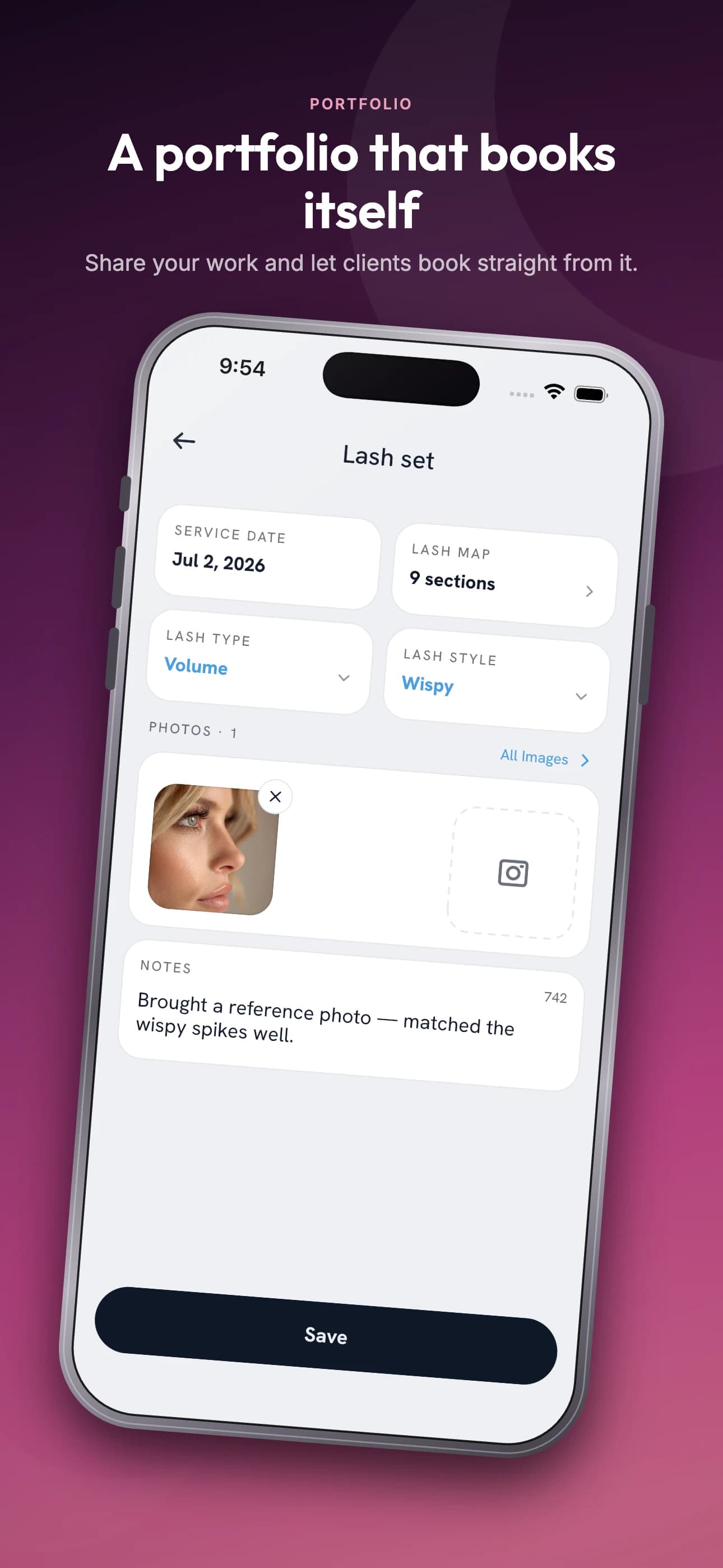
Lash type, style, curl, length and thickness, layer by layer, with photos. Filed against the client and open before she sits down.
- Set history
- What she had last time, when, and what she said at the fill.
- Photos
- Before and after on the record, in a gallery you can search by lash type.
- Notes that matter
- Sensitivities, glue, and the thing you promised to try next visit.
- A tidy list
- Merge duplicate clients, and keep track of who has left you a Google review.
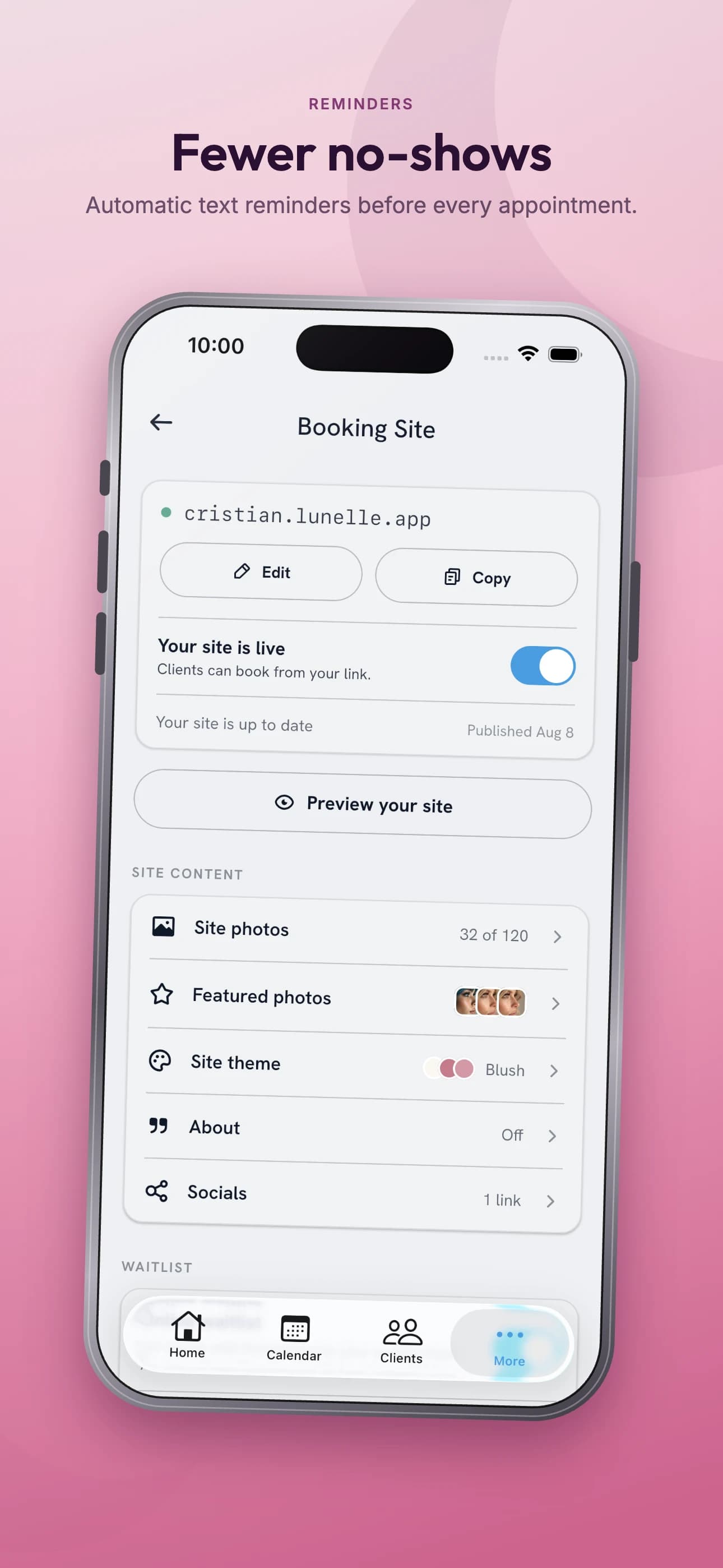
A booking page, live tonight.
Services, gallery and hours at yourname.lunelle.app, edited from the app. No builder and no plugins to keep alive.
- Your address
- Pick the name. Change it later and the old links keep working.
- Inside your own site
- Already have a website? The booking pages work inside it, in a frame.
- Your look
- A theme, your logo, your words on the front page. Preview it, then publish.
- Clients help themselves
- They book, pay the deposit, sign forms, reschedule or cancel without a DM.
Where the money actually landed.
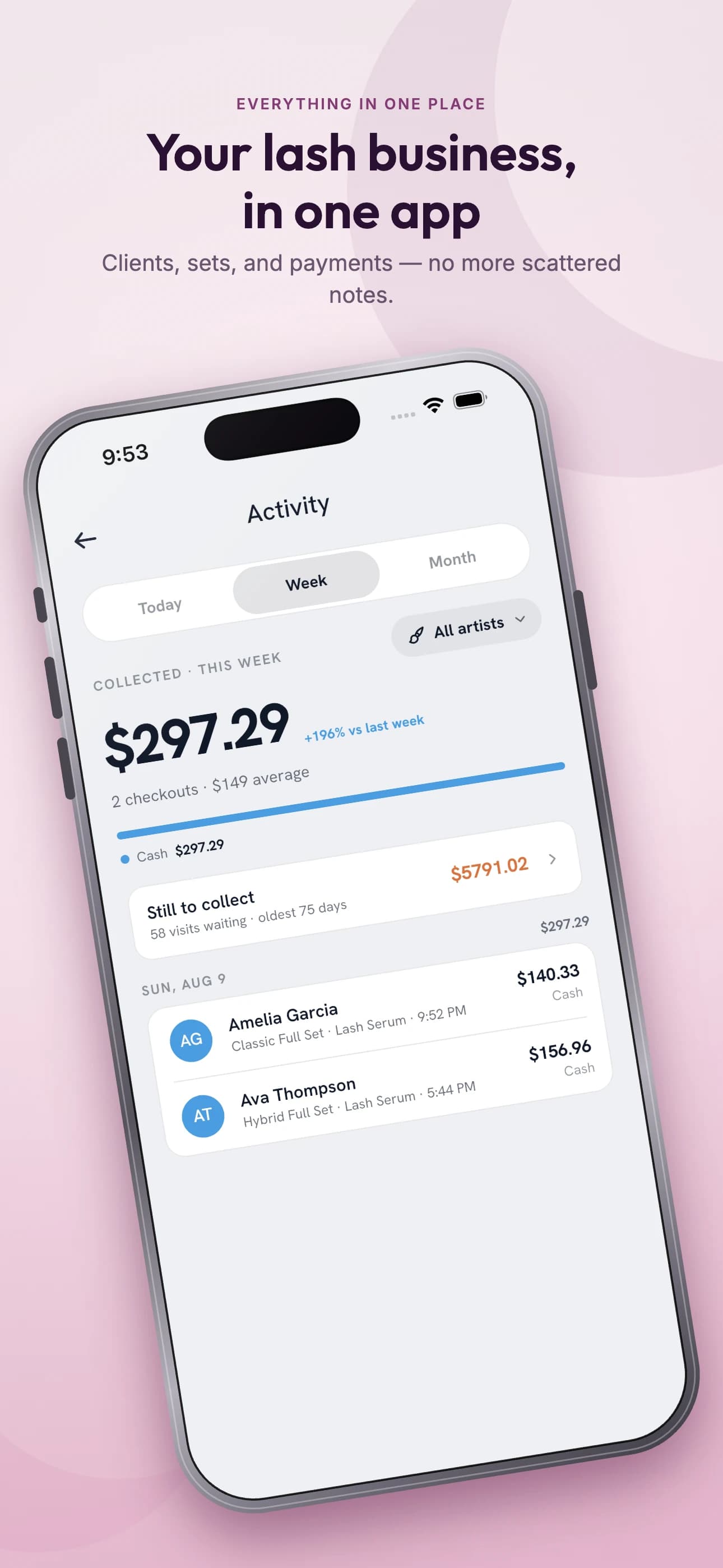
Sales, tips and sales tax for any date range, next to every payment that came in. Ready for whoever does your tax.
- Sales report
- Takings for the dates you pick, as a PDF.
- Tips by artist
- Who earned what, as a PDF or a CSV.
- Sent where it is needed
- Download any report, or email it to yourself or your accountant.
- Payouts
- Money to your bank on a schedule, or on demand when you need it sooner.
Also in the app
Consent, signed on the way in
Forms go out before the visit, come back with a drawn signature, and file to the client record.
Fewer no-shows
Text and email reminders days before, the day before and on the day, in your words.
A second chair
Every artist gets their own hours and permissions, with a time clock and shifts for the room.
Aftercare on the bill
Sell products at checkout and see how many are left on the shelf.
Google, connected
Bookings show up in Google Calendar, and clients are asked for a review after checkout.
Bring your clients with you
Import clients and services from a spreadsheet or a GlossGenius export, and undo it if a column landed wrong.
Something new ships most weeks. See the release notes.
One plan. All of the above.
Everything on this page is in the plan. Start with the trial, and keep going only if the app has earned it.
- Unlimited bookings and clients
- Payments, deposits and Tap to Pay
- Your booking website, or inside your own
- Forms, reminders, reports, exports